Zing Forum

Reading

fieldtheory-cli: A Field Theory-based CLI Tool and Agent Workflow for Knowledge Management

A CLI tool integrating bookmark management, knowledge base, command execution, and agent workflows, built on the Field Theory concept to construct a personal knowledge management system.

知识管理CLI 工具书签管理Agent 工作流Field Theory个人知识库PKM
Published 2026-06-15 13:16Recent activity 2026-06-15 13:24Estimated read 10 min
fieldtheory-cli: A Field Theory-based CLI Tool and Agent Workflow for Knowledge Management
1

Section 01

Introduction: fieldtheory-cli — A Field Theory-based Intelligent Knowledge Management CLI Tool

fieldtheory-cli is a command-line tool developed and maintained by afar1, integrating bookmark management, knowledge base, command execution, and agent workflows. Built on the Field Theory concept, it constructs a personal knowledge management system. It aims to solve the fragmentation problem of traditional PKM tools by treating knowledge as an interconnected "field", enabling organic integration and intelligent management of information, supporting natural language interaction and knowledge graph construction.


2

Section 02

Project Background and Introduction of the Field Theory Concept

Project Background

In the era of information explosion, personal knowledge management (PKM) has become a core challenge for digital workers. Traditional bookmark tools, note-taking software, and file management systems are often fragmented; users need to switch between multiple applications, making it difficult for information to form organic connections.

Field Theory Concept

Field Theory originates from physics, describing the distribution and interaction of physical quantities at each point in space. When introduced into knowledge management, knowledge is treated as a continuous, interconnected "field" rather than a collection of isolated entries. fieldtheory-cli is built precisely based on this concept.

3

Section 03

Detailed Explanation of Core Function Modules

Bookmark Management

  • Structured storage: Save URLs along with addition time, tags, notes, and source context
  • Full-text indexing: Support content indexing of bookmarked pages and content-based retrieval
  • Association analysis: Automatically discover topic associations among bookmarks and build knowledge graphs
  • Export and synchronization: Support multi-format export or synchronization to other bookmark services

Knowledge Base

  • Document management: Support import and organization of formats like PDF and Markdown
  • Metadata annotation: Add meta-information such as author, source, and keywords
  • Version control: Track document modification history and support rollback
  • Citation tracking: Record document citation relationships to form a knowledge network

Command System

  • Search commands: Full-text search, tag filtering, time-range queries
  • Browsing commands: Interactive browsing of the knowledge base structure
  • Editing commands: Quickly open and edit documents
  • Statistics commands: Generate usage statistics and visual reports

Agent Workflow Integration

  • Natural language queries: e.g., "Find machine learning articles saved last year"
  • Intelligent recommendations: Recommend relevant bookmarks or documents based on current work
  • Automatic organization: Agents analyze unclassified entries and suggest tag classifications
  • Summary generation: Automatically generate summaries for long documents
4

Section 04

Analysis of Technical Architecture

Data Storage Layer

  • Metadata storage: SQLite stores bookmark, document metadata, and indexes
  • Content storage: Original documents are stored as files in versioned directories
  • Full-text indexing: Integrate Meilisearch or SQLite FTS for fast retrieval
  • Graph storage: Use Neo4j or NetworkX to store knowledge associations

CLI Framework

  • Command parsing: Based on mature libraries like Click or Typer
  • Interactive interface: Support TUI mode to provide a GUI-like experience
  • Auto-completion: Support shell completion for Bash, Zsh, Fish, etc.
  • Configuration management: YAML/TOML configuration files, supporting multi-environment switching

Agent Integration

  • Intent recognition: Lightweight models or rule engines to parse natural language
  • Tool invocation: Encapsulate CLI commands as tools callable by agents
  • Context management: Maintain multi-turn dialogue context
  • Feedback loop: Confirm with users or request clarification after execution
5

Section 05

Practice of the Field Theory Concept in Knowledge Management

From Discrete to Continuous

  • Temporal continuity: Record the timeline of knowledge acquisition to understand cognitive evolution
  • Thematic continuity: Discussions from different sources on the same topic form a continuous knowledge field
  • Association continuity: Knowledge point associations have intensity, not just simple related/unrelated

Field Visualization

  • Topic map: Display spatial relationships between different topics
  • Timeline view: Show knowledge accumulation by time dimension
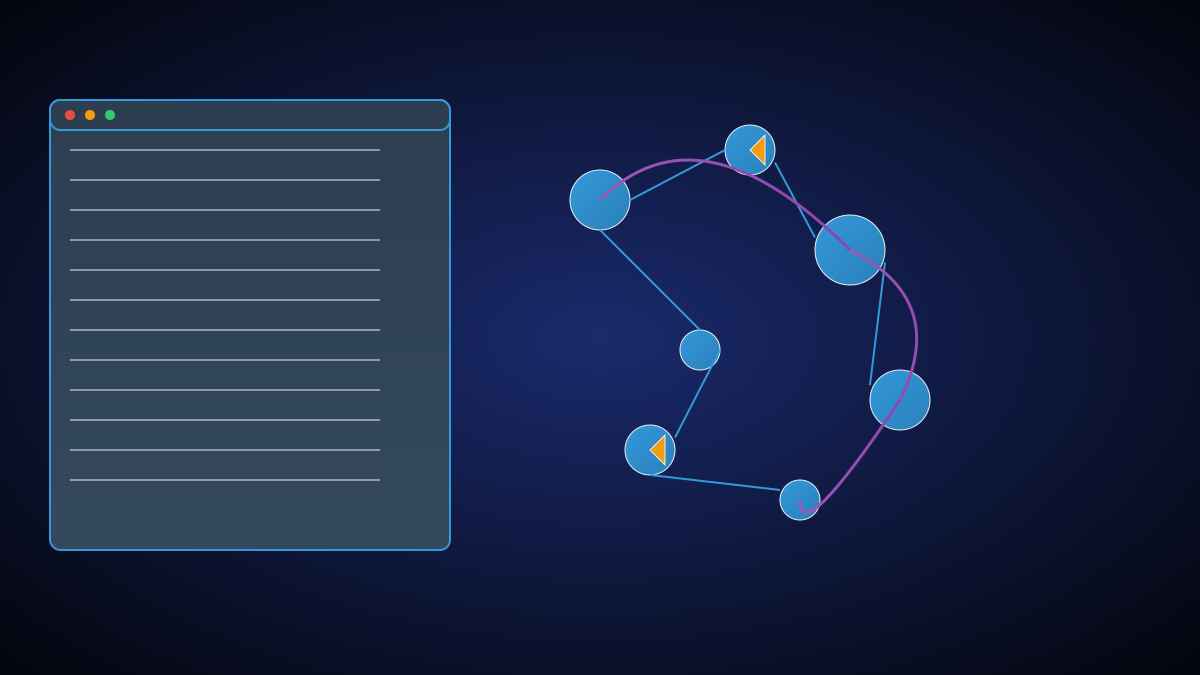
  • Association graph: Nodes are knowledge points, edges represent association intensity

Field Evolution

  • New knowledge injection: Adding new bookmarks/documents changes the field distribution
  • Association reinforcement: Repeated access to topics strengthens related connections
  • Structural emergence: A natural knowledge structure forms after long-term use without manual classification
6

Section 06

Applicable Scenarios and User Value

Researchers

  • Manage massive literature and track reading progress
  • Discover literature citations and thematic associations
  • Quickly retrieve relevant research to avoid duplicate work
  • Generate a material library for literature reviews

Developers

  • Manage technical documents, tutorials, and best practices
  • Build a personal technical knowledge base
  • Record problem solutions to form a searchable experience library
  • Quickly find technical materials via agents

Content Creators

  • Collect and organize writing materials
  • Track inspiration sources and reference materials
  • Discover potential associations between content topics
  • Generate creative ideas based on existing materials
7

Section 07

Comparison with Other Tools and Summary Outlook

Tool Comparison

Feature fieldtheory-cli Traditional Bookmark Tools Note-taking Software
CLI-first Yes No No
Local Storage Yes Mixed Mixed
Knowledge Association Core Feature Limited Moderate
Agent Support Native None Partial
Programmability High Low Moderate
Data Controllability Full Limited Limited

Summary and Outlook

fieldtheory-cli represents a new direction for knowledge management tools: shifting from information storage to intelligent knowledge field construction. It provides technical users with an efficient, programmable experience via CLI, and agent integration demonstrates AI-enhanced knowledge organization capabilities. In the future, we can expect more intelligent knowledge discovery functions to further unlock the potential of personal knowledge bases.

