Zing Forum

Reading

Power Platform Intelligent Agent Practice: The Automation Revolution of GitHub Repository Maintenance

This project demonstrates how to integrate AI agents into the Power Platform ecosystem to achieve automated maintenance of GitHub repositories, covering key tasks such as issue classification, document updates, test generation, and CI analysis.

Power PlatformAI代理GitHub自动化低代码开发GitHub CopilotClaude CodeDevOps企业数字化
Published 2026-03-30 20:14Recent activity 2026-03-30 20:21Estimated read 10 min
Power Platform Intelligent Agent Practice: The Automation Revolution of GitHub Repository Maintenance
1

Section 01

Project Introduction: Power Platform Intelligent Agents Driving GitHub Repository Automated Maintenance

This project demonstrates how to integrate AI agents into the Power Platform ecosystem to achieve automated maintenance of GitHub repositories. Core tasks include key links such as issue classification, document updates, test generation, and CI analysis. The project adopts the Agentic Workflows paradigm, enabling AI agents to have autonomous decision-making, tool usage, and memory learning capabilities, aiming to improve development and maintenance efficiency. It is a practical case of combining low-code platforms with AI.


2

Section 02

Background: Agentic Workflows and Power Platform Ecosystem

Definition of Agentic Workflows

Agentic Workflows go beyond traditional automation and have three key features: autonomous decision-making (judging priorities, assigning tasks based on context, etc.), tool usage (calling databases, executing code, etc.), and memory & learning (accumulating domain knowledge, becoming smarter with use).

Core Components of Power Platform Ecosystem

  • Power Apps and Canvas Apps: Serve as the front-end interface for AI agents, supporting interaction and monitoring.
  • Dataverse: The backbone of data storage, used to store repository metadata, decision history, etc.
  • PCF: Custom component framework, providing visual components to display analysis results.
  • Azure Functions: Host backend logic, handle complex calculations and external API interactions.
3

Section 03

Methodology: Project Architecture and Core Function Implementation

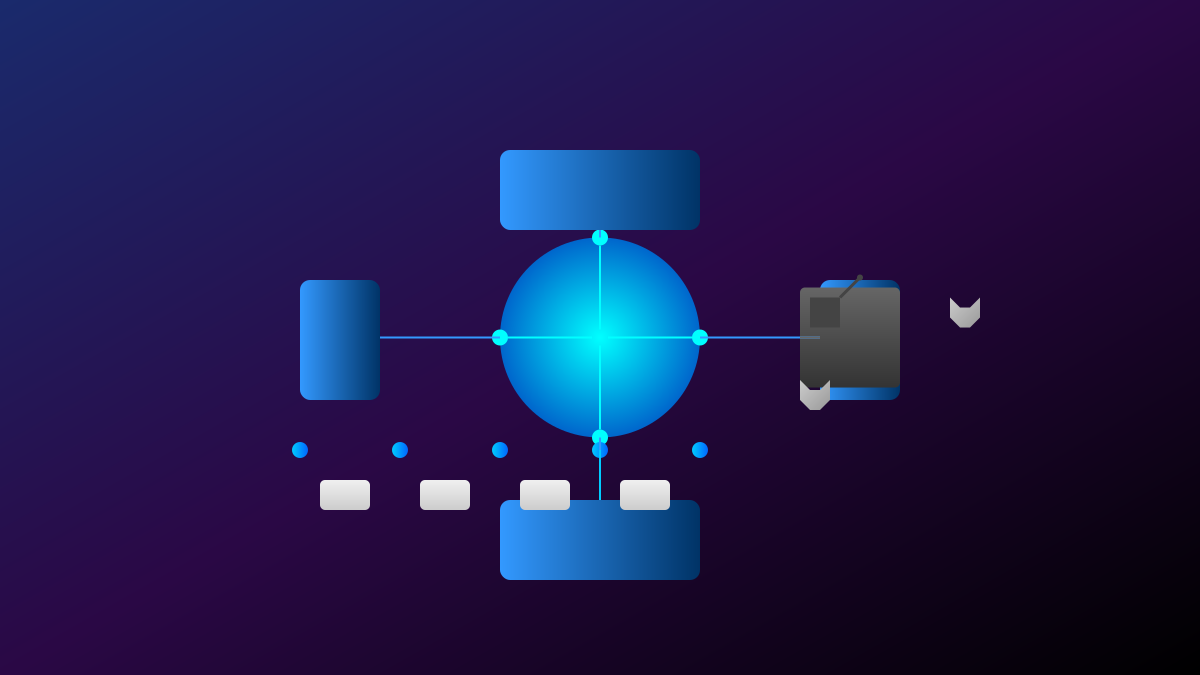
Four-Layer Architecture Design

  1. Data Layer (Dataverse): Manages repository configurations, Issue caches, execution logs, etc.
  2. Computing Layer (Azure Functions): Integrates GitHub API, calls AI models, decision engines, etc.
  3. Component Layer (PCF): Provides components such as code review visualization, Issue heatmaps, activity dashboards, etc.
  4. Application Layer (Canvas Apps): User entry point, supporting repository management, agent configuration, and monitoring reports.

Six Core Functions

  • Intelligent Issue Classification: Automatically tag, assess priority, assign owners, detect duplicates.
  • Automated Document Maintenance: Track API changes, sync README, generate change logs, multilingual documents.
  • Test Generation and Maintenance: Identify missing tests, generate use cases, fix failed tests, generate coverage reports.
  • CI/CD Analysis and Optimization: Diagnose build failures, detect performance regressions, optimize pipelines, integrate security scans.
  • Code Review Assistance: Pre-review, style checks, security scans, performance recommendations.
  • Intelligent Q&A and Knowledge Base: FAQ answers, code search, best practice recommendations, learning resource recommendations.

Three AI Toolchains

  • GitHub Copilot CLI: Generate Power Fx formulas, Azure Functions templates, explain Dataverse queries, etc.
  • Claude Code: Analyze code architecture, generate complex logic, refactor legacy code, create documents.
  • OpenAI Codex: Rapid prototyping, unit test generation, code translation, SQL optimization.
4

Section 04

Evidence: Effect Evaluation and Case Studies

Production Metric Evaluation

  • Efficiency Metrics: Issue response time, classification accuracy, document freshness, test coverage changes.
  • Quality Metrics: Defect escape rate, code review time, build success rate, number of security vulnerabilities.
  • User Experience Metrics: Contributor satisfaction, repeat problem resolution rate, manual intervention frequency.

Case Studies

  1. Enterprise Open Source Project Maintenance: A large enterprise used this framework to manage open source projects, improving issue classification efficiency by 40%.
  2. Internal Tool Documentation: A consulting firm used AI agents to maintain internal tool documentation, reducing new employee onboarding time by 50%.
  3. Security Compliance Automation: A financial institution monitored code repository compliance, automatically marked risks, and met regulatory requirements.
5

Section 05

Practical Guide: Security and Deployment

Security Best Practices

  • Least Privilege: Create dedicated GitHub Apps, limit permission scope, implement two-factor authentication and auditing.
  • Code Security: AI-generated code requires manual review, integrate static analysis tools, manual approval for sensitive operations.
  • Data Protection: Avoid exposure of sensitive data, use Dataverse security features, implement data retention policies.
  • Model Security: Monitor agent behavior, implement rate limits, prepare rollback mechanisms.

Deployment Guide

  • Prerequisites: Power Platform environment, Azure subscription, GitHub administrator permissions, AI service API keys.
  • Deployment Steps: Environment preparation → Dataverse configuration → Azure Functions deployment → GitHub App creation → PCF component installation → Canvas Apps publishing → Agent configuration.
  • Custom Extensions: Add new agent capabilities, integrate other AI models, customize PCF UI, add organization-specific logic.
6

Section 06

Limitations, Future Directions, and Conclusion

Current Limitations

  • Dependence on Cloud AI Services: Involves data privacy and may incur costs.
  • Complex Scenario Handling: Highly complex business logic requires manual assistance.
  • Cost Considerations: High-frequency API call costs are significant.

Future Directions

  • Local Model Support: Integrate open-source local models to reduce latency and costs.
  • Multimodal Capabilities: Support image, video, and other processing.
  • Stronger Autonomy: Reduce reliance on human supervision.
  • Cross-Platform Integration: Extend to GitLab, Bitbucket, etc.

Conclusion

This project demonstrates the potential of combining AI agents with low-code platforms. AI takes on repetitive tasks, allowing humans to focus on creative work, achieving enhanced human-machine collaboration. The project is open-source, enabling sustainable community contributions and helping Power Platform users enter a new era of AI-driven development.

