Zing Forum

Reading

FaceTrack Intelligent Attendance System: An Automated Classroom Roll-Call Solution Based on Computer Vision and Deep Learning

An open-source project that automates classroom attendance using computer vision and deep learning technologies. It automatically detects and recognizes students' faces via CNN-based face recognition; teachers only need to upload a photo of the classroom to complete roll call without manual intervention.

人脸识别考勤系统计算机视觉深度学习CNN课堂管理教育技术GitHub
Published 2026-05-30 13:44Recent activity 2026-05-30 14:03Estimated read 12 min
FaceTrack Intelligent Attendance System: An Automated Classroom Roll-Call Solution Based on Computer Vision and Deep Learning
1

Section 01

Introduction to FaceTrack Intelligent Attendance System: An Automated Classroom Roll-Call Solution Based on Computer Vision and Deep Learning

FaceTrack is an open-source project that automates classroom attendance using computer vision and deep learning technologies. Its core function is to automatically detect and recognize students' faces via CNN-based face recognition; teachers only need to upload a photo of the classroom to complete roll call without manual intervention.

The original author/maintainer of the project is krishanu-bera, released on the GitHub platform with the original title FaceTrack-_Attendance. Link: https://github.com/krishanu-bera/FaceTrack-_Attendance, release date: May 30, 2026.

This system aims to solve problems such as inefficiency, cheating, and cumbersome data management in traditional manual roll calls, providing modern technical tools for educational management.


2

Section 02

Pain Points and Challenges of Traditional Classroom Attendance

Traditional classroom attendance methods have many problems, especially in large classrooms:

  • Inefficiency of manual roll call: Calling names one by one takes 5-10 minutes of teaching time, accumulating to hours of lost teaching time per semester.
  • Proxy signing and cheating: Paper or oral sign-ins are prone to proxy signing, leading to distorted attendance data.
  • Cumbersome data management: Manual sorting, statistics, and archiving are error-prone, and calculating attendance rates at the end of the semester is time-consuming.
  • Difficulty handling dynamic situations: It is hard to record dynamic changes like late arrivals or early departures in real time; most data is static.
3

Section 03

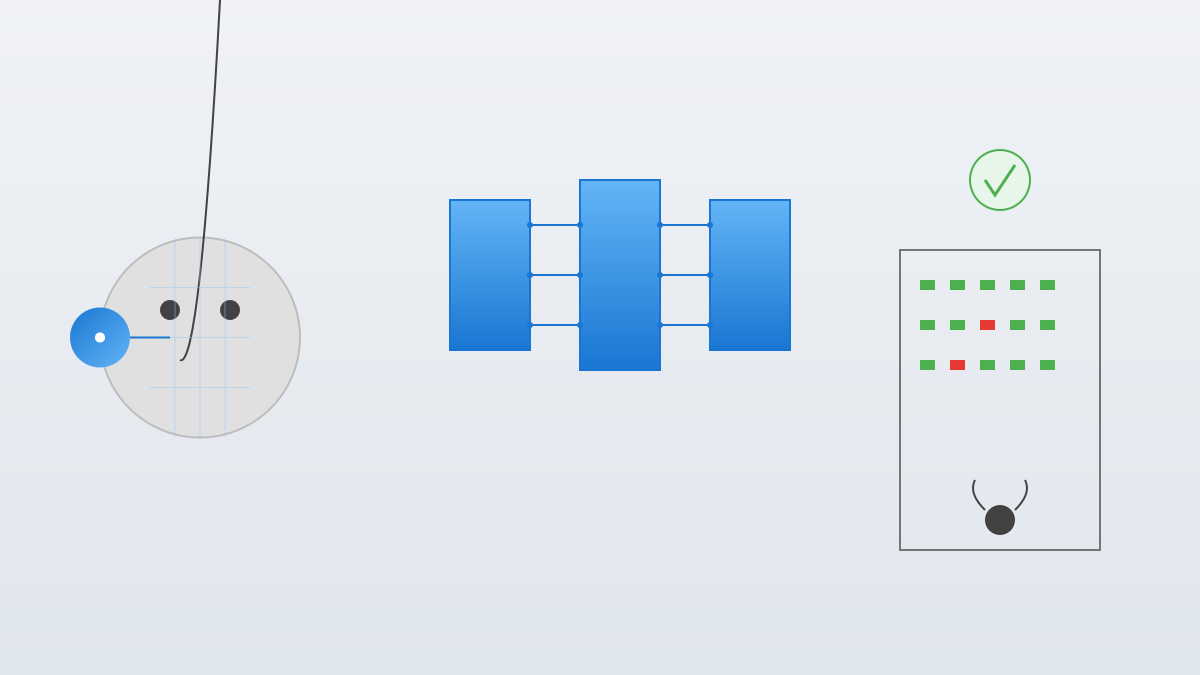
Core Workflow of the FaceTrack System

The system workflow is simple and intuitive:

  1. Image Collection: Teachers take photos of the classroom using ordinary cameras/phones, no professional equipment needed.
  2. Face Detection: Computer vision algorithms are used to locate all face areas in the photo, handling different angles and lighting conditions.
  3. Face Recognition: The detected faces are compared with the student database to confirm identities (core link).
  4. Attendance Recording: Automatically generate attendance records, mark attendance status, and data can be exported in multiple formats.
4

Section 04

Technical Architecture and Application of CNN in Face Recognition

Technical Architecture

The system includes the following key components:

  • Face Detection Module: Pre-trained models (e.g., MTCNN, Haar cascade classifier) locate faces and handle occlusions, poses, and lighting changes.
  • Alignment and Preprocessing: Align faces via key point detection and standardize to a unified perspective.
  • Feature Extraction: CNN extracts high-dimensional feature vectors to capture unique facial features.
  • Identity Matching: Compare feature vectors with the database and determine identity via distance measurement.
  • UI and Data Management: A user-friendly interface supports upload, preview, result viewing, and export.

Advantages of CNN

  • Hierarchical Feature Learning: Automatically learn from low-level (edges) to high-level (facial contours).
  • Translation Invariance: Robust to changes in facial positions.
  • Parameter Sharing: Reduces the number of parameters, easy to train and less prone to overfitting.

Classic CNN Architectures

The project may use classic models such as DeepFace, FaceNet, VGGFace2, ArcFace, or their fine-tuned versions.

5

Section 05

Expansion Possibilities of Application Scenarios

The core technology of FaceTrack can be extended to multiple scenarios:

  • Meeting and Event Check-in: Fast check-in for corporate/academic meetings without queuing.
  • Examination Room Identity Verification: Entry identity verification to prevent proxy exams; combined with liveness detection to guard against photo/video attacks.
  • Campus Security Monitoring: Stranger detection in key areas and blacklist alerts (strict privacy review required).
  • Personalized Teaching Assistance: Emotion recognition via expression analysis (focus, confusion, etc.) to help optimize teaching.
6

Section 06

System Implementation Challenges and Privacy Ethics Considerations

Technical Challenges

  • Large-scale Recognition: Need to efficiently handle face detection and recognition for dozens of students.
  • Pose and Expression Changes: Robustness to different sitting postures and expressions.
  • Lighting and Environment: Deal with the impact of different lighting conditions on image quality.
  • Occlusion Issues: Handle partial occlusions (front-row students, books, glasses, etc.).
  • Real-time Performance: Generate results within seconds after photo upload to ensure user experience.

Privacy and Ethics

  • Data Security: Encrypt and store feature vectors, restrict access rights, regularly clean data, and provide a deletion mechanism.
  • Informed Consent: Explain functions and data usage to students/parents, obtain explicit consent, and provide alternative solutions.
  • Algorithm Fairness: Evaluate recognition accuracy for different skin tones, genders, and age groups to ensure fairness.
  • Usage Restrictions: Strictly used for attendance; not for unauthorized monitoring or third-party sharing.
7

Section 07

System Deployment and Daily Usage Process

Initialization Phase

  • Database Establishment: Collect students' facial photos, extract feature vectors to build an identity database (unified lighting conditions).
  • System Configuration: Set parameters such as recognition thresholds, attendance rules, and user permissions.
  • Testing and Calibration: Test before official use, adjust parameters to balance accuracy and false recognition rate.

Daily Usage

  • Pre-class Photo Taking: Take a clear panoramic photo of the classroom a few minutes after class starts.
  • Upload and Processing: Upload the photo; the system automatically completes detection, recognition, and recording.
  • Result Confirmation: Teachers check the results and correct cases of recognition failure or doubt.
  • Data Export: Export to Excel/CSV format and connect to the school management system.

Maintenance and Updates

  • Model Update: Regularly update students' feature vectors (e.g., changes in hairstyle, glasses).
  • Performance Monitoring: Track recognition accuracy and collect error cases to improve the model.
  • Security Audit: Regularly check data access logs to ensure safe operation.
8

Section 08

Current Limitations and Future Outlook

Current Limitations

  • Dependency on Photo Quality: Blurriness, improper exposure, or poor angles affect recognition results.
  • Twin Recognition: Recognition accuracy decreases for identical twins.
  • Database Maintenance Cost: Student turnover requires continuous updates, increasing workload.
  • Initial Setup Complexity: Deployment requires photo collection and model configuration, which has technical requirements.

Future Improvement Directions

  • Video Stream Processing: Extend to real-time video to capture dynamics like late arrivals or early departures.
  • Multimodal Fusion: Combine gait recognition or seat position to improve reliability.
  • Edge Computing: Deploy to smart terminals in classrooms to reduce privacy risks and latency.
  • Self-supervised Learning: Use unlabeled data to improve feature learning and reduce dependency on annotations.
  • Federated Learning: Collaborate across multiple schools to improve the model without centrally storing raw data.

Conclusion

FaceTrack demonstrates the application value of AI in the education field. While solving traditional attendance problems, it is necessary to balance technical convenience with privacy ethics. This open-source project provides a starting point for educational technology developers; we look forward to more intelligent and efficient classrooms in the future that respect privacy rights.