Zing Forum

Reading

Dashboard LLM: Visual Interactive Dashboard for AI Classification and Evaluation Results

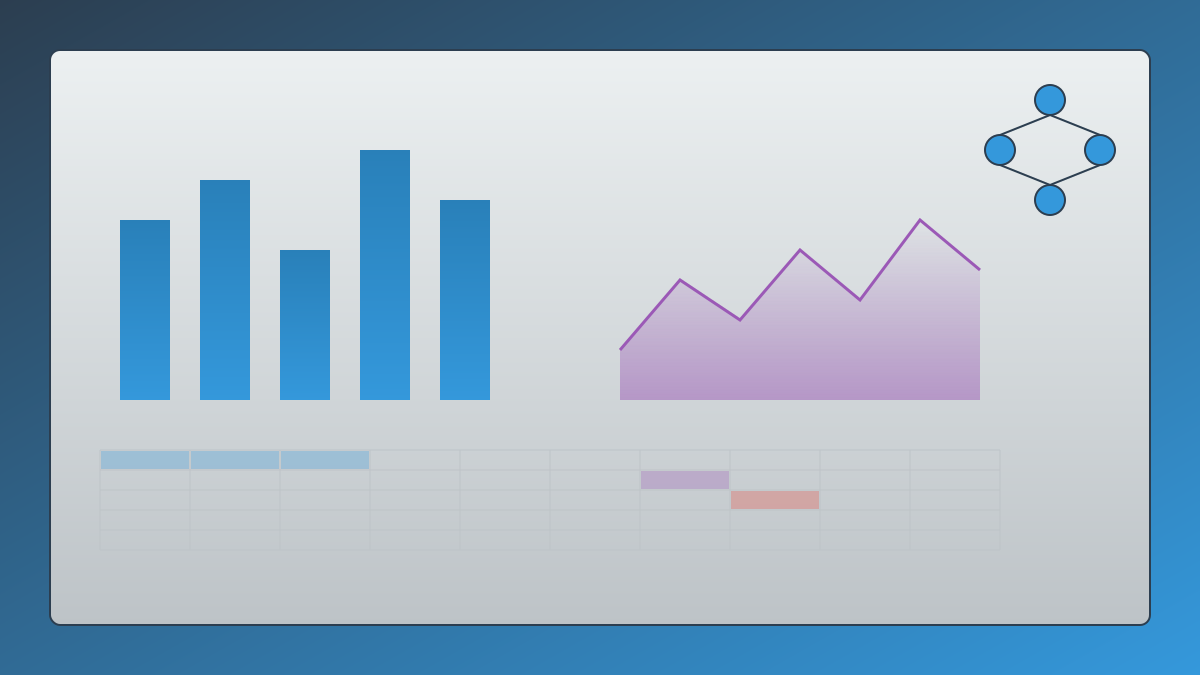
This is an interactive dashboard developed with HTML and JavaScript for visualizing AI model classification and evaluation results. It supports CSV data import, multi-dimensional filtering, and Chart.js visualization, serving as a supporting tool for the Search Foundry research team's "Clusterize e misura" project.

AI模型评测数据可视化DashboardChart.jsLLM大语言模型CSV交互式仪表板Search Foundry模型对比
Published 2026-04-17 04:16Recent activity 2026-04-17 04:53Estimated read 8 min
Dashboard LLM: Visual Interactive Dashboard for AI Classification and Evaluation Results
1

Section 01

Introduction: Dashboard LLM – A Visual Interactive Tool for AI Model Evaluation Results

Introduction: Dashboard LLM – A Visual Interactive Tool for AI Model Evaluation Results

Dashboard LLM is an open-source interactive dashboard developed by the Search Foundry research team, designed to visualize AI model classification and evaluation results. Built with HTML and JavaScript, it uses Chart.js for data visualization and supports features like CSV data import and multi-dimensional filtering. As a supporting tool for the "Clusterize e misura" project, it aims to transform tedious evaluation data into an interactive and explorable intuitive interface.


2

Section 02

Pain Points in AI Model Evaluation: Abundant Data but Hard to Gain Insights

Pain Points in AI Model Evaluation: Abundant Data but Hard to Gain Insights

With the rapid development of large language models (LLMs), researchers and developers face the challenge of massive evaluation data: involving dozens of models, hundreds or even thousands of test queries, multiple evaluation metrics (accuracy, cost, similarity, etc.), and comparisons across different vendor versions. Raw data is often stored in CSV or JSON formats—while rich in information, it is difficult to intuitively understand the differences and trade-offs between models, creating an urgent need for interactive visualization tools.

3

Section 03

Project Introduction and Data Sources

Project Introduction and Data Sources

dashboard-llm is an open-source project developed by the Search Foundry team, built with pure HTML and JavaScript. It requires no complex backend services and can run on any modern browser. Its data comes from the team's "Clusterize e misura" project (GitHub: Search-Foundry/aicategorizer), which focuses on multi-dimensional classification of mainstream LLMs, measuring performance on specific tasks, analyzing the trade-off between accuracy and cost, and evaluating the similarity and consistency of answers.

4

Section 04

Core Features and Visualization Dimensions

Core Features and Visualization Dimensions

The dashboard provides three core charts:

  1. Matching: A stacked horizontal bar chart showing the distribution of correct/incorrect answers across models, enabling intuitive comparison of overall accuracy;
  2. Potential vs Cost: A scatter plot with potential score on the X-axis and cost per query (in euros) on the Y-axis, colored by vendor to help identify models with optimal cost-performance;
  3. Average Similarity: A sorted horizontal bar chart displaying the average similarity of model answers (0-100 score), reflecting stability and reliability.
5

Section 05

Data Format and Usage

Data Format and Usage

CSV Structure

The dashboard expects CSV files to include the following columns: modelllo (model name), azienda (vendor), costo_euro (cost), true (number of correct answers), false (number of incorrect answers), total_query (total queries), percent_true (correct percentage), similarita_media (average similarity), deviazione_std (standard deviation), potenziale (potential score). Extra columns are ignored, and empty rows are discarded.

Usage Modes

  1. Direct Open: After cloning the repository, double-click index.html and select a file via the "Load CSV" button;
  2. Local Server: Start a static server with Python (python3 -m http.server 8000) or VS Code Live Server, then access http://localhost:8000/index.html for automatic loading.
6

Section 06

Interactive Features and Online Demo

Interactive Features and Online Demo

Interactive Filtering

Supports real-time filtering:

  • Vendor Filter: Display only models from specific vendors;
  • Model Filter: Focus on the performance of specific models. Filter operations synchronously update all charts.

Online Demo

Experience the dashboard directly via the demo link: https://search-foundry.github.io/dashboard-llm/

7

Section 07

Technical Implementation and Troubleshooting

Technical Implementation and Troubleshooting

Technical Choices

  • Chart.js: Lightweight, responsive, highly interactive, and well-documented, making it suitable for quick integration;
  • Pure Frontend Architecture: No backend dependencies—uses the File API to read local CSV files or the Fetch API to load server data. All computations and rendering are done client-side, simplifying deployment.

Common Issues

  1. No Data with file:// Protocol: Manually select a file or switch to local server mode;
  2. Manual File Selection Required on Each Startup: Use local server mode for automatic loading;
  3. Chart Labels Not Displaying: Ensure the chart container height is not restricted—Chart.js automatically manages labels.
8

Section 08

Summary and Value

Summary and Value

Dashboard LLM turns complex AI evaluation data into easy-to-understand and shareable content through intuitive charts and interactive features, providing a lightweight, customizable visualization solution for research teams. The project is open-source under the MIT License, allowing free use, modification, and distribution for both commercial and non-commercial scenarios. Developed by the Search Foundry research team (created by Andrea Scarpetta), it is an essential tool for data-driven decision-making in AI model selection.